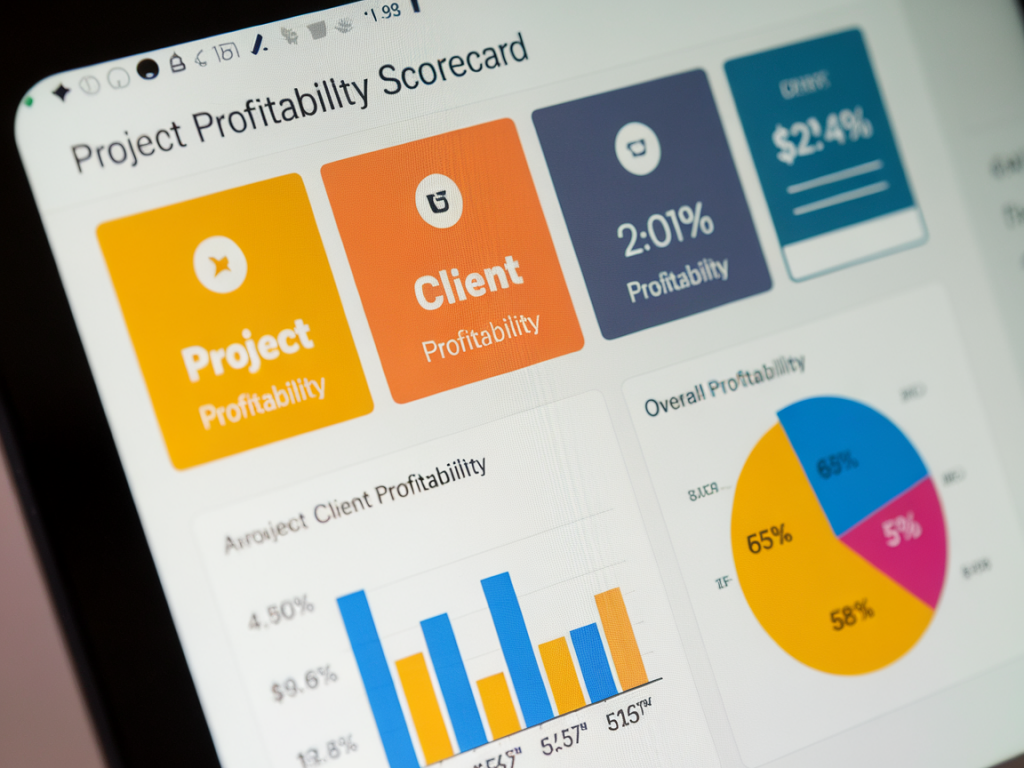
I know how tempting it is to rely on revenue as a vanity metric. As a freelancer, you can have healthy income one month and still be losing money on the clients that take the most time. That’s why I built per‑client profitability scorecards inside Xero Projects — to see, at a glance, which clients actually make me money and which ones drain resources.

Below I’ll walk you through a practical, step‑by‑step process to create a per‑client profitability scorecard using Xero Projects, timesheets, costs, and a little spreadsheet magic. I’m writing from the trenches: these are techniques I’ve tested with solo service providers and small teams, and they work without expensive BI tools.

What you need before you start

Make sure you have the following in place in Xero and your workflow:

  • Access to Xero Projects and permissions to export project data.
  • Consistent use of timesheets in Projects (or an integrated time‑tracking tool that syncs with Xero, e.g. Harvest, TSheets, Timely).
  • Recorded project costs and purchase/invoice coding for client‑specific spend (materials, subcontractors, third‑party services).
  • Basic spreadsheet skills (Google Sheets or Excel) to calculate metrics and build the scorecard.
  • What I include in a per‑client profitability scorecard

    My scorecard focuses on a handful of high‑value metrics that tell the story fast:

  • Revenue (invoiced and/or received) per client over a defined period.
  • Direct Costs tied to client work: subcontractors, purchased goods, reimbursable expenses.
  • Time Cost — the cost of your billable hours, calculated as hours logged × blended hourly cost.
  • Gross Profit and Gross Margin per client.
  • Realised Hourly Rate (net revenue divided by total hours spent).
  • Utilisation / Efficiency — proportion of logged time that’s billable vs non‑billable.
  • These keep the scorecard actionable: you can decide to raise rates, push back on scope, or stop low‑value work.

    Step 1 — Standardise timesheet and costing practice

    Start with your data hygiene. If you’re not capturing time and costs consistently, the scorecard will lie.

  • Use Xero Projects timesheets for every client task. If you prefer other apps, integrate them so they feed into Projects or export time data for consolidation.
  • Create consistent item codes or project tags for common cost types (e.g., SUBCON, REIMB, MATERIALS) so you can filter invoices and bills by client cost category.
  • Decide on a blended hourly cost for yourself (your target internal cost per hour). For simplicity, I use a calculation that includes salary equivalent, employers NI, pension and a small overhead allocation.
  • Step 2 — Export the necessary data from Xero

    Xero Projects reporting gives you a good start, but I like to pull raw data into a spreadsheet:

  • Export Project Summary (revenue, billable hours, costs) for the date range you care about.
  • Export Timesheet Details if you need to verify hours by task or person.
  • Export Invoices and Bills filtered by project if you track costs via bills.
  • Tip: use CSV exports then import into Google Sheets. If you automate frequently, consider Zapier or Make (Integromat) to push Xero data into a Google Sheet automatically.

    Step 3 — Build the scorecard template (spreadsheet)

    Create a sheet with one row per client/project and these columns (I use these names):

  • Client
  • Project ID
  • Period
  • Invoiced Revenue
  • Received Revenue
  • Direct Costs
  • Hours (total)
  • Hours (billable)
  • Blended Hourly Cost
  • Time Cost = Hours (total) × Blended Hourly Cost
  • Gross Profit = Invoiced Revenue − Direct Costs − Time Cost
  • Gross Margin % = Gross Profit / Invoiced Revenue
  • Realised Hourly Rate = (Invoiced Revenue − Direct Costs) / Hours (total)
  • Utilisation % = Hours (billable) / Hours (total)
  • Here’s a simple example table I use as a model:

    ClientInvoicedDirect CostsHoursBlended Cost/hrTime CostGross ProfitGross MarginRealised Rate
    Acme Ltd£6,000£80040£40£1,600£3,60060.0%£130
    Beta Studio£2,400£20030£40£1,200£1,00041.7%£73.33

    Formulas (English/UK):

  • Time Cost = Hours × Blended Cost/hr
  • Gross Profit = Invoiced − Direct Costs − Time Cost
  • Gross Margin = Gross Profit / Invoiced
  • Realised Hourly Rate = (Invoiced − Direct Costs) / Hours
  • Step 4 — Pulling direct costs accurately

    Direct costs are the trickiest. I recommend two parallel approaches:

  • When possible, put client costs on a project‑specific purchase order or code bills to the project in Xero. That gives you clean traceability.
  • For reimbursables or ad‑hoc spend, use expense claims (or bills) coded to the project and ensure the description includes the client name. Periodically reconcile bank feed items to projects.
  • If you can’t get 100% accurate direct cost coding right away, use a conservative estimate for the first quarter and tighten up bookkeeping practices as you go. The scorecard will help you spot big discrepancies quickly.

    Step 5 — Determine your blended hourly cost

    This is often an eye‑opener for freelancers. Many of us bill without accounting for the real cost of time.

  • Simple formula I use: (Target annual salary + Employers NI + Pension + Allocated overheads) / Practical billable hours per year.
  • Example: If your salary equivalent is £36,000, NI/pension/overheads add £9,000, and you expect 1,200 billable hours, blended cost = £45,000 / 1,200 = £37.50/hr.

    Step 6 — Visualise and action the scorecard

    Once your sheet is populated, I add a few conditional formats or traffic lights:

  • Red if Gross Margin < 30%
  • Amber if Gross Margin between 30–50%
  • Green if Gross Margin > 50%
  • I also sort clients by Realised Hourly Rate and Gross Profit to find quick wins: raise rates for low realised rate clients, or renegotiate scope/time expectations.

    Automation tips and integrations

    If you don’t want to export manually each month, consider these options:

  • Zapier / Make: push Xero Projects summaries into a Google Sheet whenever an invoice is created/updated.
  • Use an analytics add‑on like Syft Analytics or Futrli that connects to Xero and can create client profitability reports; these tools add cost but save manual work.
  • Time trackers that integrate with Xero (Harvest, Timely) can keep your hours synced and reduce errors.
  • Common pitfalls I see — and how to avoid them

    A few mistakes will skew your scorecard:

  • Incomplete time capture: enforce a minimum daily time logging habit — I set a recurring reminder until it’s routine.
  • Mixing retainer revenue with project revenue: track them separately so one doesn’t mask the other’s profitability.
  • Ignoring non‑billable time: it’s part of the cost. Capture admin, marketing and client management hours so your blended cost is realistic.
  • With consistent data and a simple scorecard you can run each month, you’ll be able to: prioritise profitable clients, price services more intelligently, and cut or restructure low‑margin engagements. I’ve used this approach to help solo consultants and small teams turn fuzzy intuition into clear, money‑focused decisions — give it a try and tweak the metrics to suit your business model.