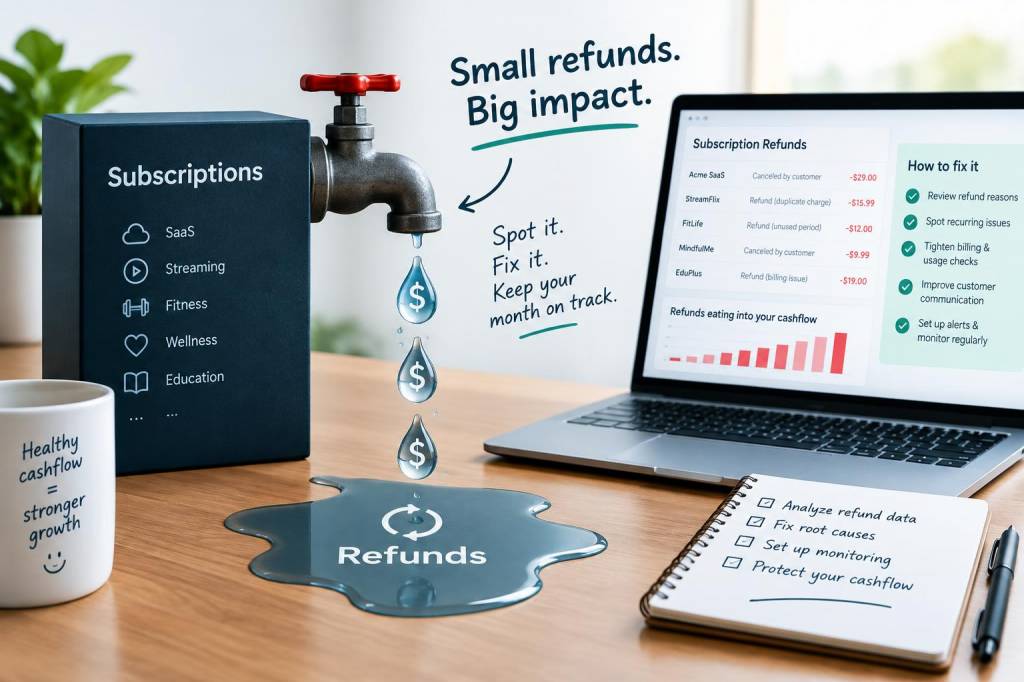
I noticed it once in a client’s bank feed: a steady drip of small refunds across a month — nothing dramatic on any single day, but enough that by the time the month closed the business had missed its payroll target. Subscription models are wonderful until they quietly eat into cashflow. I’ve helped several micro‑businesses and SMEs spot these leaks early and patch them without angry customers or a circus of chargebacks. Here’s a practical, step‑by‑step guide to spotting and fixing a creeping cashflow leak caused by subscription refunds.
Why subscription refunds are different to one‑off returns
Refunds for physical goods tend to be obvious: a returned item, a processed refund, a reversed sale. Subscriptions are trickier because:
They’re recurring, so small refunds can accumulate fast.They can be pro‑rated, partial or tied to promotional periods, which complicates accounting entries.They often involve third‑party payment processors (Stripe, PayPal) whose settlement timing doesn’t match your accounting period.That mismatch between cash movements and revenue recognition is where the cashflow surprise lives.
Common signs that a refund‑related leak is happening
Look for these red flags in your accounts and bank feed:
Regular, small refunds appearing in the bank feed, especially around subscription renewal dates.Growing variance between “payments received” on your merchant dashboard (Stripe/PayPal) and “deposits” in your bank.Credit notes issued in your accounting software that aren’t matched to customer communications or churn records.Higher than usual disputes or chargebacks for subscription periods.Negative balances in deferred revenue or uneven monthly recognised revenue when subscriptions are supposed to be steady.How I diagnose a subscription refund leak
My diagnostic process is intentionally simple and built to fit a small business’s time constraints. I follow three parallel checks:
Transaction reconciliation: compare your payment processor payouts (Stripe, PayPal, GoCardless) with bank deposits and your accounting ledger.Customer lifecycle checks: export active subscriptions from your billing system (Stripe Subscriptions, Chargebee, Paddle) and check for recent cancellations, upgrades/downgrades and refunds.Accounting review: look at the treatment of refunds and credit notes in your ledger. Are they reducing revenue, or sitting in an accounts receivable/contra account?Most leaks are revealed by a mismatch between the billing system’s records and the ledger — for example, a refund logged in Stripe but not properly coded in Xero or QuickBooks, leaving revenue inflated and cash understating the liability.
Step‑by‑step: stop the leak today
Here’s a practical sequence you can follow in a morning:
Pull your last 3 months of merchant statements (Stripe/PayPal/GoCardless) and bank statements.Export subscription events from your billing platform for the same period — look for refund, invoice.refund, subscription.cancelled, invoice.updated events.In your accounting software, run a report of credit notes and refunds. Filter by amount and date to match the merchant exports.Identify unmatched refunds: any refund in the merchant statement not recorded correctly in your ledger is a problem.Correct the ledger entries: record refunds against the same revenue code or subscription product and adjust deferred revenue if you recognise revenue over time.If necessary, refund customers properly and log the customer reason — it helps spot product or onboarding issues.For recurring partial refunds (pro‑rations), ensure your finance process records the net effect on revenue and the impact on future billing cycles.
Accounting entries you should be using
Get these basics right in your chart of accounts:
Record the original subscription invoice to a revenue account (e.g., Subscription Revenue).When issuing a refund, post the refund to the same revenue account or via a contra account (Subscription Refunds) so your gross and net figures reconcile.If you use deferred revenue, adjust the deferred liability and recognised revenue proportionately.Example simple journal for a full refund:
| Debit | Subscription Revenue (reverse recognised revenue) |
| Credit | Bank (or Merchant Clearing Account) — when cash leaves |
And for a pro‑rated refund:
| Debit | Subscription Revenue (partial) |
| Debit | Deferred Revenue (if previously recognised) |
| Credit | Bank / Merchant Clearing Account |
Practical bookkeeping tips and automation tricks
Small changes to your workflow prevent leaks and save time:
Use a merchant clearing account in Xero/QuickBooks. Record payouts to the clearing account and move to bank when deposited.Enable webhooks from your billing provider so refunds and cancellations create draft transactions in your accounting software. Tools like Zapier or Automate.io (or native integrations: Stripe + Xero, QuickBooks + PayPal) can automatch events.Set up bank rules for common refund descriptions (e.g., "REFUND *STRIPE") so they’re categorised consistently.Reconcile merchant fees separately. Fees and refunds should each be matched, or you’ll misstate gross revenue and net cash.Run a weekly mini‑reconciliation focused purely on subscriptions — 15–30 minutes will prevent a month‑end scramble.Operational fixes to reduce refunds (and churn)
Accounting fixes plug leaks, but addressing root causes reduces future refunds:
Improve onboarding: a lot of early refunds stem from customers misunderstanding your service. Clear welcome emails, short how‑to videos and a helpful FAQ reduce regret‑based refunds.Flexible proration and pause options: offer an easy pause instead of a full refund for short dissatisfaction periods.Transparent billing descriptors so customers recognise charges on their bank statements — this lowers chargebacks.Trial periods or money‑back guarantees with clear terms can reduce unexpected refunds while protecting customer goodwill.What I look for in tools and integrations
When recommending software I test how it handles refunds end‑to‑end. My checklist includes:
Accurate event logs: can I export refunds/cancellations easily?Reliable webhooks: do refunds trigger an update in my accounting system?Clear reconciliation reports: does the platform show settled vs. refunded amounts? (Stripe’s “Payments” and “Payouts” views are good here.)Good visibility into fees: I want to see gross receipts, fees, refunds and net settlements without manual calculation.In practice, Stripe + Xero or Stripe + QuickBooks works well for UK businesses if you map the events carefully and use a merchant clearing account to smooth timing differences.
Monthly checklist to keep the leak fixed
Make this part of your month‑end routine:
Reconcile merchant payouts to bank deposits.Match refunds in the merchant statement to credit notes in your accounting system.Adjust deferred revenue for any cancellations and pro‑rations.Review customer refund reasons for product or process improvements.Spot‑check high‑value refunds and dispute cases to prevent recurring problems.You don’t need a big finance team to keep subscription refunds from hurting your cashflow — you need the right routines and a little discipline. Patch the bookkeeping gaps, automate where sensible, and use refund data to improve the product experience. If you’d like, I can walk you through a reconciliation template tailored to Stripe or PayPal and show you the exact ledger mappings I use for clients — just say which processor you use and I’ll draft a step‑by‑step checklist you can run this afternoon.